Windows 11 is the name of the latest and current version of the Windows operating system developed by Microsoft and which was officially released on October 5, 2021, as a free update through Windows Update for some compatible computers running Windows 10.
DirectX 12 or later compatible with WDDM 2.0 driver. High definition display (720p) over 9 inches diagonal, with 8-bit channel per color. Windows 11 Home requires Internet connection and a Microsoft account. Switching out of Windows 11 in S mode also requires Internet connection .
MORE FEATURES THAN WE EXPECTED:
How to get back to the classic start menu in Windows 11?

1. Hold down the Windows + R keys.
2. In the run window enter "Regedit" without the quotes and press accept.
3. Click File and select Export to make a registry backup.
4. Name the file "Registry Backup" and save it.
5. Go to "HKEY_CURRENT_USER \ Software \ Microsoft \ Windows \ CurrentVersion \ Explorer \ Advanced".
6. Right-click and create a new DWORD (32-bit) value from the drop-down menu.
7. Name the new value "Start_ShowClassicMode".
8. Set the value to 1.
9. Restart your computer.
After restarting computer, W11 is ready to use as usual always mode!
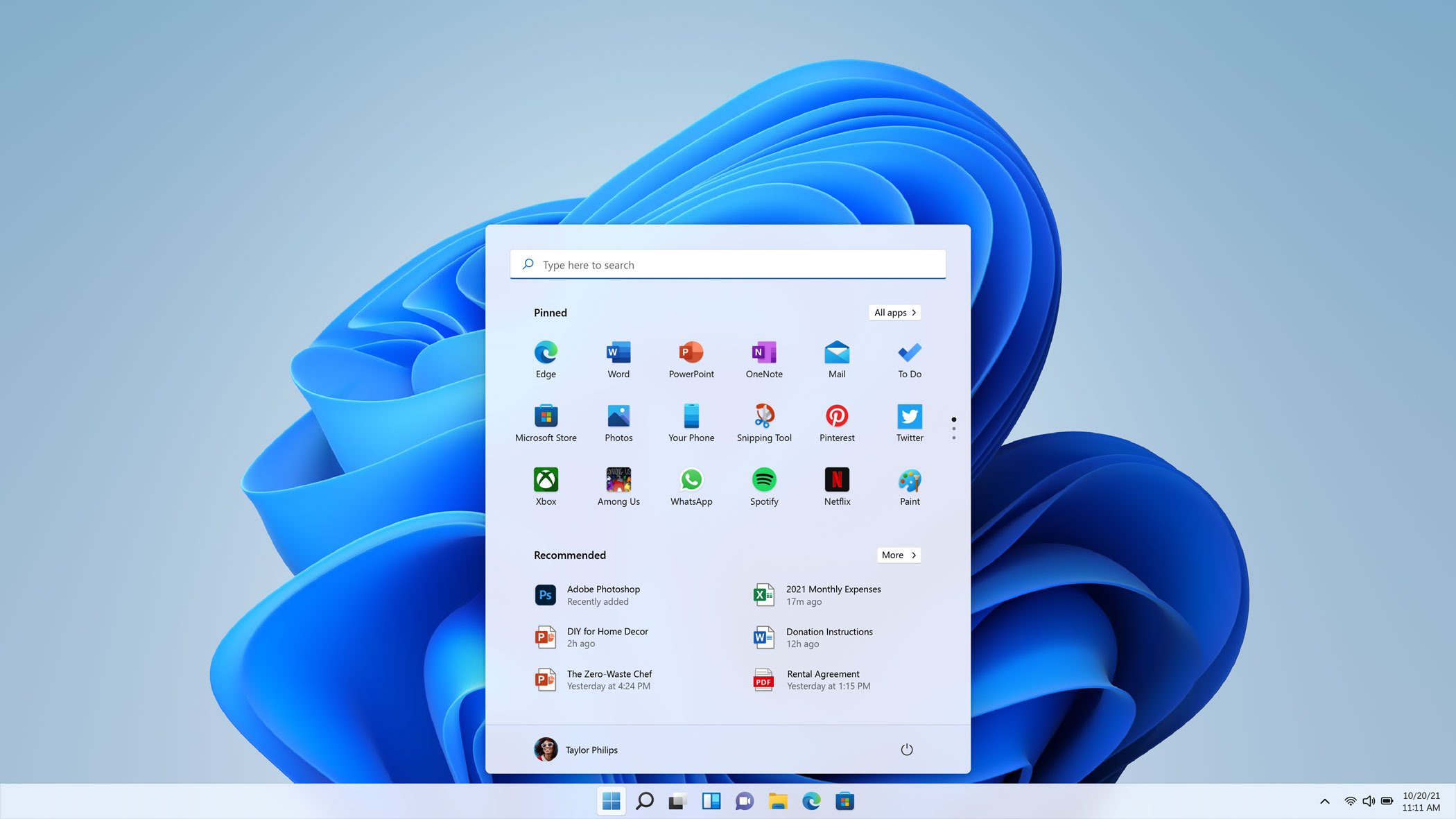
As we have already said, W11 has a new user interface, start menu and functions.
In this preliminary version, functions could be changed, added or eliminated as time goes by, we must wait to see the future of this version and the implementation in the computers of users around the world.
Finally, I attach a windows 11 reveal video:


No hay comentarios:
Publicar un comentario